Quick Comparison Table (The TL;DR)
| Feature | Adobe After Effects (AE) | DaVinci Resolve Fusion | Winner for… |
|---|---|---|---|
| Learning Curve | Moderate (Keyframe-heavy UI) | Steeper (Node-based UI) | After Effects |
| VFX Specialization | Industry Standard for Motion/Compositing | Integrated into Video Editor | Tie |
| Cost | Subscription Only ($20.99/mo) | Free + Paid Studio Version ($295 one-time) | Fusion |
| Best For | Social Media, Motion Graphics, Compositing | Post-Production Pipeline, Color Grading + VFX | AE for Motion; Fusion for Workflow |
| Asset Ecosystem | Massive (Scripts, Templates, Plugins) | Growing but smaller | After Effects |
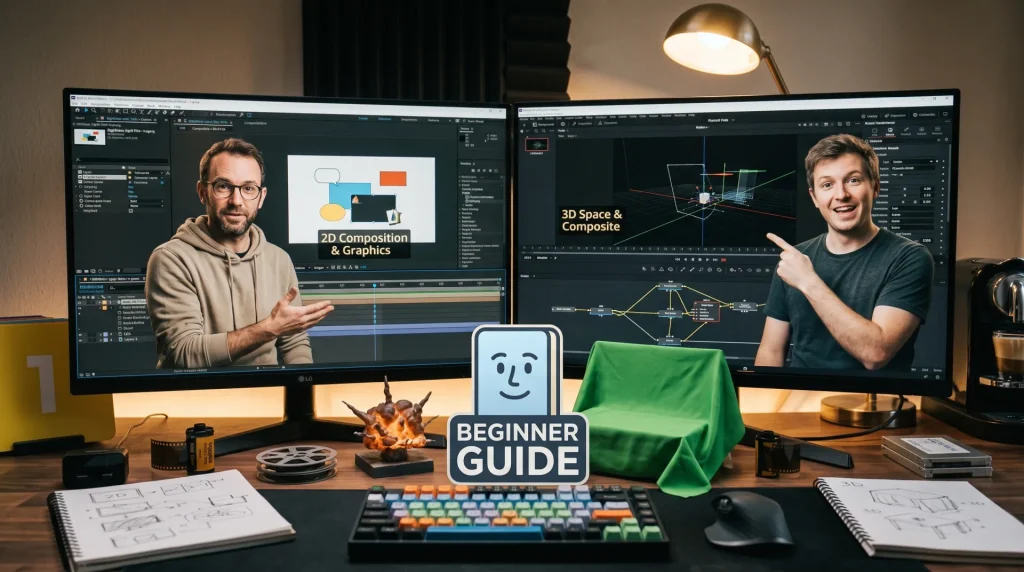
If you are a beginner looking to break into visual effects (VFX), motion graphics, or post-production, the most common question you will hear is: “Which software should I start with?” The two giants in this space are Adobe After Effects and DaVinci Resolve Fusion. Both industry-leading tools offer powerful compositing and VFX capabilities, but they approach them from completely different workflows. Choosing the wrong one could waste months of study time, while choosing the right one accelerates your career path.
This guide breaks down After Effects vs. DaVinci Resolve Fusion specifically for VFX beginners, analyzing interface complexity, VFX capabilities, pricing, and how each fits into the professional pipeline. By the end, you will know exactly which program to install first based on your career goals.
Understanding the Core Difference: Layers vs. Nodes
To understand why one might be better than the other for you, you must first grasp their fundamental design philosophies. This is the biggest hurdle beginners face when switching between the two.
After Effects: Layer-Based Workflow
Adobe After Effects uses a layer-based timeline system. Think of it like Photoshop but for video. You stack layers (text, footage, solids, effects) on top of one another in a timeline window. Each layer has its own properties (Position, Scale, Opacity) that you animate using keyframes.
- Beginner Friendliness: High. If you have ever used Photoshop or Instagram filters, the concept of stacking elements is intuitive.
- VFX Approach: You apply effects to individual layers. To create complex compositing (like adding shadows to text behind moving objects), you often need to pre-compose multiple layers manually.
DaVinci Resolve Fusion: Node-Based Workflow
Fusion uses a node-based workflow. Instead of stacking layers in a timeline, you connect “nodes” representing images, effects, and transformations together to form a graph. Each node processes the image and passes the result to the next node in the chain.
- Beginner Friendliness: Low to Moderate. It requires thinking in terms of data flow rather than visual stacking. However, once mastered, it offers superior control over complex VFX without cluttering the timeline.
- VFX Approach: Fusion is inherently designed for compositing. Handling transparency, masking, and multi-layer effects is more natural because the nodes represent the actual processing steps of an image.
Deep Dive: After Effects for VFX Beginners
After Effects has been the industry standard for motion graphics and VFX since the early 2000s. If you want to work in advertising, social media, or broadcast motion graphics, AE is non-negotiable.
Strengths for Beginners
- Massive Learning Resources: Because AE is the market leader, there are thousands of free tutorials on YouTube, paid courses on Udemy, and active forums. If you get stuck searching for “how to make text bounce,” you will find 50 results for AE, but maybe only 2 for Fusion.
- Animation Intuition: Keyframing in AE is straightforward. Beginners who want to focus on animating (moving things over time) rather than technical compositing will find AE less frustrating initially.
- Integration with Other Adobe Apps: If you plan to do graphic design or photo editing alongside VFX, AE integrates seamlessly with Photoshop and Illustrator. You can drop a PSD file directly into AE and keep all your layers editable.
Weaknesses for Beginners
- The “Pre-Compose” Fatigue: As your projects grow, you will find yourself constantly pre-composing layers to organize effects. This can slow down beginners who just want to see immediate results.
- Subscription Cost: At $20.99/month, AE adds up quickly. While affordable for students, it is a recurring expense compared to a one-time purchase.
- Performance on Complex Projects: AE can struggle with high-resolution footage (4K/8K) and heavy particle simulations unless you have a very powerful GPU, which can frustrate beginners working on mid-range laptops.
Deep Dive: DaVinci Resolve Fusion for VFX Beginners
Fusion is often overlooked by beginners because it comes bundled inside DaVinci Resolve, a video editor and color grading tool. However, Fusion’s standalone version (or the Fusion page within Resolve) is arguably the superior tool for pure VFX and compositing.
Strengths for Beginners
- Superior Compositing Logic: The node-based system forces you to understand how an image is being processed. This makes it easier to troubleshoot issues later when you encounter advanced VFX work. It scales infinitely better than layer-based systems for complex shots.
- One-Time Purchase: DaVinci Resolve includes a robust free version with almost all Fusion features available. The Studio version is a one-time $295 payment forever. There are no monthly fees, making it financially smarter for long-term investment.
- End-to-End Workflow: If your goal is not just VFX but full post-production (editing + VFX + Color Grading + Audio), Fusion allows you to do everything in one project file. You don’t need to export a clip from an editor to put it into AE; you can edit, add VFX, and grade in Resolve simultaneously.
Weaknesses for Beginners
- The Node Barrier: The initial learning curve is steep. Beginners accustomed to timelines may feel lost trying to drag connectors between nodes instead of dragging clips on a track. It requires a mental shift that takes 2–4 weeks to overcome.
- Smaller Community: While growing rapidly, the Fusion community is smaller than AE’s. Finding specific solutions for niche problems may take longer searching through forums.
- Interface Density: Fusion’s interface is packed with panels and tools. It can feel overwhelming compared to AE’s cleaner, more focused layout for motion graphics.
Head-to-Head: Which Task is Easier?
To help you decide, let’s look at specific tasks a beginner might want to accomplish in each program.
Task A: Creating a Lower Third (Name Plate)
- After Effects: Simple. Drag text onto the screen, add a shape layer behind it, animate position keys with Easy Ease. Takes 5 minutes.
- Fusion: Slightly more involved. Create a Text+ node and a Shape node, link them in the graph, animate position using Transform nodes. Takes 10 minutes, but the structure is cleaner for animation curves.
- Winner: After Effects (for speed and simplicity).
Task B: Rotoscoping (Cutting Out a Person from Background)
- After Effects: Requires the Roto Brush tool (subscription feature) or manual mask tracking. Can be tedious if the subject moves fast. Tracking masks can drift easily.
- Fusion: Uses Planar Tracker and sophisticated rotoscoping tools that handle motion blur and occlusion much better. The node structure allows you to isolate the tracking data cleanly from the masking process.
- Winner: DaVinci Resolve Fusion (more accurate and robust for VFX).
Task C: Adding Glitch Effects to Text
- After Effects: Many built-in effects (CC Glass, Noise) plus easy expression scripting (
wiggle). Huge library of free glitch templates available online. - Fusion: Requires building the effect via noise generators, chromatic aberration nodes, and frame hold nodes. More creative control but requires building from scratch rather than applying a preset.
- Winner: After Effects (due to template ecosystem and preset availability).
Task D: Color Grading the Footage Before VFX
- After Effects: Requires Lumetri Color panel. Good for basic looks, but lacks the deep power of professional colorists. Often requires round-tripping to Premiere Pro for better grading.
- Fusion: Built-in Color Warper and Primary Color Controls are industry-grade. Since Fusion is part of Resolve, you can grade footage with the same tools Hollywood colorists use before even touching VFX nodes.
- Winner: DaVinci Resolve Fusion (unmatched color integration).
The Career Path: Where Do These Tools Fit?
Your choice should depend on the type of VFX career you envision.
Choose After Effects If You Want To Be a:
- Motion Graphic Designer: Most agencies, studios, and social media teams require AE proficiency. It is the lingua franca of motion design.
- Broadcast Designer: TV stations and news networks rely heavily on AE for lower thirds, tickers, and animated logos.
- Freelance YouTuber: If you primarily need to add effects to vlogs, intros, and thumbnails, AE is faster to learn for these specific tasks.
Choose DaVinci Resolve Fusion If You Want To Be a:
- Post-Production Artist: If your goal is film post-production, where VFX sits alongside editing and color, Fusion allows you to manage the whole pipeline.
- Compositor: Professional film compositors often prefer node-based systems (like Nuke, but Fusion is the entry-level equivalent) because they handle complex shots more efficiently.
- Budget-Conscious Creator: If you cannot afford a monthly subscription, Fusion provides enterprise-grade VFX tools for free.
Final Verdict: What Should a Beginner Actually Do?
Do not try to master both immediately. That leads to burnout and shallow knowledge.
Recommendation 1: Start with After Effects. For 80% of VFX beginners, especially those interested in social media, marketing, and motion graphics, After Effects is the logical starting point. The lower barrier to entry means you will build confidence faster as you create visible results quickly. Once you understand the basics of timing, keyframing, and compositing concepts in AE, transitioning to Fusion later will be easier because you already understand what you are doing, even if the interface changes.
Recommendation 2: Start with DaVinci Resolve Fusion If You Love Film Post-Production. If your passion lies in filmmaking, color grading, and heavy-duty compositing (like removing wires or adding digital environments), skip the AE learning curve entirely. Download the free version of DaVinci Resolve and dive straight into the Fusion page. The node system will challenge you, but it will teach you a deeper understanding of image processing that will serve you well in advanced VFX roles.
Pro Strategy for Maximum Employability: Many successful artists actually learn both. A common roadmap is:
- Master After Effects for motion graphics and quick VFX (Months 1–6).
- Learn DaVinci Resolve for editing and color (Months 6–9).
- Use Fusion within Resolve for heavy compositing tasks that AE struggles with (Month 12+).
This hybrid approach makes you a “One-Stop Shop” for clients who need everything done in-house, increasing your value significantly.
Conclusion
The debate of After Effects vs. DaVinci Resolve Fusion is not about which is objectively “better”; it is about which aligns with your workflow preferences and career goals. After Effects wins on ease of use, community support, and motion graphic dominance. DaVinci Resolve Fusion wins on compositing power, cost-effectiveness, and integrated post-production pipelines.
For the majority of beginners asking this question, start with After Effects. It offers the quickest path to creating engaging content for social media and client work, building the foundational VFX mindset you will eventually need regardless of which software you ultimately specialize in. Once you are comfortable, explore Fusion to expand your toolkit. Whichever you choose, remember that the software is only half the battle—understanding principles of light, composition, and timing matters far more than the buttons you press.
FAQ Section (Optimized for Google AI Overview)
Q: Can I learn DaVinci Resolve Fusion without knowing After Effects first?
A: Yes. While After Effects familiarity helps with general video concepts, Fusion teaches its own logic from the ground up. Many professional compositors start directly with Fusion or Nuke without prior AE experience.
Q: Is the free version of DaVinci Resolve enough for VFX learning?
A: Absolutely. The free version includes 95% of the Fusion page features needed for beginner to intermediate VFX. You only need the Studio version for specific advanced features like 3D tracking or some neural engine tools.
Q: Which software is better for YouTube channel branding and intros?
A: After Effects is generally preferred for YouTube intros due to its extensive library of motion templates and ease of animating text and shapes quickly. Fusion can do it too, but it requires more manual setup for similar results.
Q: Will learning Fusion make me better at After Effects if I switch later?
A: Yes. Understanding node-based compositing gives you a deeper understanding of how images are processed, which helps you troubleshoot layer-based issues in AE more effectively. It creates a more versatile artist.
Q: Do I need a powerful computer to run these programs?
A: After Effects benefits greatly from a strong CPU and RAM. Fusion benefits from a strong GPU (graphics card). For beginners, a modern laptop with an Intel i7/Ryzen 7 processor and an NVIDIA RTX 3050 or higher should handle both programs for 1080p work comfortably.