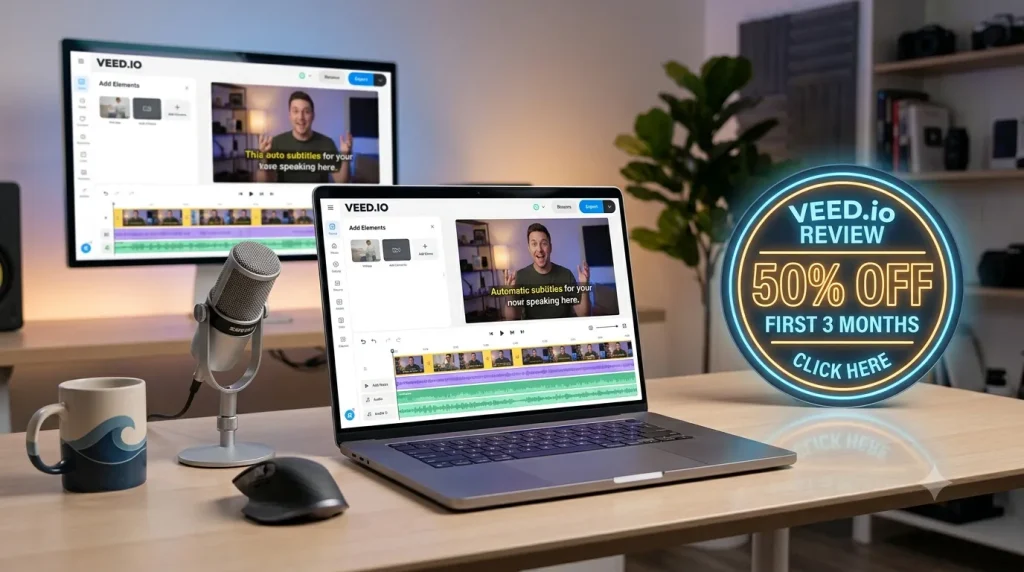
Video creation has become a mandatory part of marketing, social media, online courses, and client communication. However, not everyone has the time to spend weeks learning a complex desktop editing program. That is where the browser-based editor VEED.io fits in.
VEED.io is an online video editing platform built specifically for creators, marketers, and teams who want to edit videos, create captions, resize content, and make social clips quickly. While VEED.io is fast and highly efficient for everyday content, this review will explore why advanced editors might still require heavy-duty desktop tools like Adobe Premiere Pro or After Effects. For new users looking to test the platform, VEED.io currently offers a 50% discount on the first three months of its paid tiers (Lite, Pro, and Enterprise).
What Is VEED.io and Who Should Use It?
VEED.io is a cloud-based video editing platform. Users open VEED.io directly in a web browser, upload video files, and edit those files without downloading or installing a traditional desktop application.
VEED.io is explicitly aimed at professionals and creators who need to produce content quickly rather than utilizing complex visual effects. The platform is highly recommended for:
- Social-media creators and YouTubers
- Small businesses and marketing teams
- Marketing and advertising agencies
- Online course creators and educators
- Podcasters creating video highlights
- Recruiters and sales teams
- Remote companies needing fast video communication
- Freelance video editors
Instead of trying to replace advanced post-production programs, VEED.io focuses on automating the tasks that creators repeat most often. The platform combines common video-editing tools—such as trimming, splitting, cropping, and exporting—with AI-focused tools like automatic subtitles, transcription, and social-media repurposing features.
VEED.io Core Features: Editing, Subtitles, and Transcription
Browser-Based Trimming and Basic Editing
Because VEED.io runs entirely in a web browser, users do not need to install a large editing application or possess a high-end editing computer to start. VEED.io includes all the foundational tools users need for short-form and standard marketing videos. Inside the VEED.io browser interface, users can trim the start and end of clips, split footage into sections, remove unwanted parts, and combine multiple clips. Furthermore, users can add images, text, transitions, and background music. If the goal is to turn a webinar, interview, or podcast recording into a shorter video clip, the VEED.io browser-based editor saves significant time compared to traditional offline workflows.
Automatic Subtitles and Captions (100+ Languages)
Captions are widely considered one of VEED.io’s strongest and most popular features. The VEED.io platform can automatically transcribe spoken audio and instantly turn it into timed video subtitles. Because many people watch social media videos with the sound turned off, these automatic captions improve viewer retention and accessibility. Historically, VEED.io’s plans have included automatic captions in more than 100 different languages. Once VEED.io generates the captions, users can manually edit the text, adjust the timing, change the font, and modify the colors to match their specific brand guidelines.
Audio-to-Text Video Transcription
Beyond on-screen subtitles, VEED.io’s transcription tool turns spoken audio into raw text documents. This transcription feature is incredibly helpful for generating podcast notes, webinar summaries, YouTube descriptions, blog-post outlines, and internal meeting records. Instead of listening to a full recording and typing every word manually, users can use the VEED.io auto-transcript as a starting point. As with any automated AI transcription tool, the VEED.io software may struggle with poor audio, strong accents, overlapping speakers, or heavy background noise, so human review is always recommended.
VEED.io Advanced Tools: Resizing, Screen Recording, and AI
Social Media Resizing
A video that performs well on a horizontal YouTube player will not work effectively on vertical platforms like TikTok or Instagram Reels. VEED.io includes a one-click resizing feature that helps creators adapt a single piece of content for different aspect ratios and social-media formats.
VEED.io Common Resizing Formats:
| Platform or Format | Typical Aspect Ratio |
| TikTok | 9:16 vertical |
| Instagram Reels | 9:16 vertical |
| YouTube Shorts | 9:16 vertical |
| Instagram Feed | 1:1 square or 4:5 portrait |
| YouTube Video | 16:9 landscape |
| LinkedIn Video | 1:1, 4:5 or 16:9 |
| Facebook Video | 1:1, 4:5 or 16:9 |
Screen Recording and Brand Kits
VEED.io features a built-in screen-recording tool designed for users who need to record software SaaS demonstrations, product walkthroughs, client onboarding tutorials, or sales presentations. Users can record their screen, add a webcam overlay, and edit the final video all within the VEED.io ecosystem.
To maintain visual consistency across these recordings and social videos, VEED.io offers a “Brand Kit” feature. The Brand Kit allows marketing teams and agencies to save their specific hex-code colors, custom fonts, logos, and layouts. Instead of rebuilding the same caption style or logo placement for every new video, a team can apply these saved VEED.io templates instantly.
AI Video Tools
VEED.io has expanded beyond basic editing to include AI-driven video features like AI subtitle generation, AI avatars, and automated script tools. While these VEED.io AI tools drastically speed up repetitive tasks and first drafts, users must always perform a human review. Creators should always double-check AI-generated captions, brand wording, and visual consistency before publishing VEED.io content to ensure accuracy and copyright compliance.
VEED.io Pricing, Plans, and the 50% Discount Offer
VEED.io operates on a freemium model. The platform offers a completely Free tier for users to test the software, alongside paid tiers (Lite, Pro, and Enterprise) for users who require professional features.
The Free VEED.io plan is useful for testing, but it is highly restrictive: exports contain a prominent VEED.io watermark, export quality is capped, and storage space is strictly limited. To remove watermarks, access higher-resolution exports, unlock larger upload limits, and utilize the full suite of AI captioning tools, users must upgrade to a paid VEED.io plan.
VEED.io Plan Tiers:
| Plan Type | Best For | Typical Limitations or Benefits |
| Free Plan | Testing VEED.io or occasional simple edits | Watermarked videos, limited export quality, and strict storage/feature limits. |
| Lite / Basic | Individual creators | Removes watermarks, offers better export quality, and unlocks more caption tools. |
| Pro | Frequent creators and small teams | Adds more AI tools, higher export limits, larger file uploads, and premium assets. |
| Enterprise | Larger marketing teams | Unlocks team collaboration, custom controls, massive storage capacity, and business support. |
VEED.io Discount: 50% Off Your First Three Months
For new users looking to test the Lite, Pro, or Enterprise features, VEED.io frequently offers a promotional discount. New users can use promotional links to claim 50% off VEED.io for the first 3 months of an eligible paid plan. Users should always verify the final billed price, check if the 50% discount applies to monthly or annual billing cycles, and review the platform’s cancellation terms at checkout before completing payment.
VEED.io Pros and Cons for Video Creators
VEED.io Pros:
- Easy to Learn: VEED.io’s interface is built for beginners, avoiding the steep learning curves of professional desktop suites.
- Excellent for Captions: VEED.io’s ability to auto-transcribe audio into subtitles in over 100 languages saves teams hours of manual typing.
- No Large Desktop Installation: Because VEED.io is browser-based, remote teams can collaborate on projects across different computers without transferring massive local project files.
- Built for Repurposing: VEED.io excels at chopping long podcasts or webinars into optimized 9:16 vertical clips for TikTok and Reels.
VEED.io Cons:
- Browser Performance Limitations: Because VEED.io relies entirely on the cloud, large 4K files and complex projects will lag and feel slower than they would on a local, well-configured desktop application.
- Strict Free Plan Limits: The VEED.io Free plan forces watermarks onto exports and restricts resolution, virtually requiring serious creators to buy a paid plan immediately.
- Not an After Effects Replacement: VEED.io lacks the capability for advanced compositing, 3D work, detailed tracking, or high-end motion graphics.
VEED.io vs. Adobe Premiere Pro and After Effects
Users frequently ask if VEED.io can replace traditional desktop software like Adobe Premiere Pro or Adobe After Effects. The short answer is no; VEED.io and Adobe solve entirely different problems.
VEED.io vs. Premiere Pro:
VEED.io is fundamentally faster for short-form content, automated captions, and basic marketing videos due to its beginner-friendly, browser-based nature. Conversely, Adobe Premiere Pro is a heavy desktop software designed for serious, offline editing projects that require precise timeline control, multicam editing, and advanced audio post-production.
| Feature | VEED.io | Adobe Premiere Pro |
| Learning Curve | Beginner-friendly | Steeper learning curve |
| Installation | Browser-based (Cloud) | Desktop software (Local) |
| Best For | Social clips, captions, simple marketing | Professional editing, complex timelines |
| Captions | Fast, automated, built into the workflow | Available, but requires more manual setup |
| Offline Work | Extremely limited (Requires internet) | Yes (Fully local) |
| Large Productions | Not ideal | Industry standard choice |
VEED.io vs. After Effects:
VEED.io and Adobe After Effects serve completely different functions. VEED.io should be used when a creator needs fast captions, social-media resizing, simple video trimming, and quick browser-based collaboration. After Effects should be used when a professional requires advanced 3D animation, motion tracking, green-screen keying, visual effects compositing, and complex text expressions.
Frequently Asked Questions About VEED.io
Is VEED.io free?
Yes, VEED.io offers a free plan to try its online video editor, but this free access includes strict limits, such as watermarked video exports, lower resolution settings, and restricted storage. To remove the VEED.io watermark, users must upgrade to the Lite, Pro, or Enterprise plans.
Does VEED.io create subtitles automatically?
Yes, VEED.io is highly regarded for its automatic subtitle and transcription tools, which can generate captions in over 100 languages. However, users should always manually review the VEED.io-generated captions before publishing to fix any AI spelling errors.
Is VEED.io good for YouTube videos?
Yes, VEED.io is excellent for simple YouTube edits, adding captions, creating intros, and resizing horizontal 16:9 videos into 9:16 vertical YouTube Shorts. However, for feature-length YouTube documentaries requiring advanced color grading, a desktop editor is better.
Can VEED.io replace Premiere Pro or After Effects?
No. While VEED.io is perfect for simple marketing videos and social media clips, it cannot replace Premiere Pro for massive, timeline-heavy offline projects, nor can it replace After Effects for advanced motion graphics, tracking, and visual effects.
Final Verdict: Is VEED.io Worth It?
VEED.io is an excellent, highly recommended video editor for creators, social media managers, and marketing teams who want to produce polished videos without spending weeks learning traditional desktop software.
If your daily workflow involves turning long podcasts into short 9:16 social clips, generating auto-captions in multiple languages, recording screen-capture software tutorials, and applying consistent brand-kit templates, VEED.io is absolutely worth the subscription cost. The platform’s ability to save time on these repetitive tasks makes it a massive asset for digital marketers.
However, VEED.io’s main limitation is its depth. Because it is a browser-based cloud editor, VEED.io will struggle with massive raw video files and is not designed for advanced VFX artists or film editors who require the offline power of Premiere Pro or DaVinci Resolve.
If you need to turn recordings into captioned, social-ready clips quickly, the platform is worth testing—especially by taking advantage of the 50% off your first 3 months of VEED.io introductory offer for new users.