If you’re running a post house or working as a freelance editor right now, you’ve probably had a client ask, “Can we just AI this?”
Two years ago, that question meant delivering a warped, flickering mess that looked like a fever dream. Today, in 2026, it’s a legitimate workflow question. Generative video has crossed the uncanny valley, and the tools are actually useful.
But if you’re integrating AI into a Premiere Pro or DaVinci Resolve pipeline, not all platforms are built the same. The two heavyweights dominating the conversation right now are Runway (specifically Gen-3 Alpha) and Lightricks’ LTX Studio.
I’ve been testing both extensively for DigiEffects to figure out where they actually fit into a professional workflow. Here is the honest breakdown of Runway Gen-3 vs. LTX Studio, and which one you should actually spend your budget on.
The Short Version: What Are We Looking At?
Before we get into the weeds, let’s define what these tools are actually trying to be.
- Runway Gen-3 Alpha is basically a high-end stock footage generator on steroids. It is a raw engine. You feed it a prompt, an image, or a video, and it hands you back a phenomenally high-quality clip. It doesn’t care about your story; it cares about the physics of the pixels.
- LTX Studio is trying to be a “Studio in a Browser.” It wants to control the whole narrative. You give it a script or a concept, and it generates the characters, the storyboards, the shots, and the audio, allowing you to tweak camera angles and consistency across multiple scenes.
Round 1: Image Quality and Cinematic Realism
Let’s talk about the final render. If the plate looks bad, nothing else matters.
Runway Gen-3: The King of Fidelity
Right now, Runway Gen-3 is terrifyingly good at photorealism. If you need a slow-motion macro shot of water splashing over coffee beans, or a drone pushing through a neon-lit cyberpunk street, Gen-3 will give you something that you can honestly drop straight into a timeline.
It understands lighting geometry better than its predecessors. Reflections in puddles match the environment. Shadows fall correctly. More importantly, the temporal consistency (the way objects hold their shape frame-to-frame without melting) is rock solid for about 5 to 10 seconds.
LTX Studio: The Consistency Play
LTX Studio produces great-looking video, but in a raw “pixel-peeping” shootout, Gen-3 wins on cinematic fidelity. However, LTX has a different superpower: Character and Style Consistency.
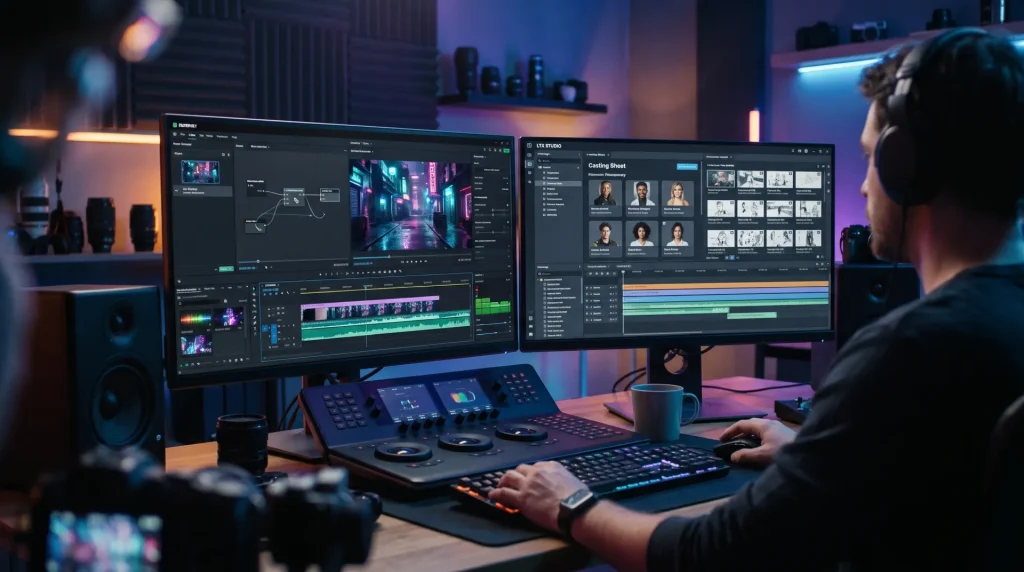
If you generate a character in Runway, getting that exact same character to appear in the next shot from a different angle requires a lot of prompt wrangling and seed-matching luck. LTX Studio is built from the ground up to hold character consistency across an entire sequence. It builds a “casting sheet” for your project, so the guy in Scene 1 looks like the exact same guy in Scene 5.
Winner for Raw Quality: Runway Gen-3.Winner for Narrative Consistency: LTX Studio.
Round 2: The Post-Production Workflow
How do these actually feel to use when you have a deadline?
Working with Runway
Using Runway feels like being an incredibly demanding VFX supervisor. You are usually generating one shot at a time. The workflow looks like this:
- Create a base image in Midjourney (because Midjourney still has the best aesthetic control).
- Bring that image into Runway as an Image-to-Video prompt.
- Add motion brush strokes to tell the AI exactly what part of the image should move (e.g., “animate the clouds, leave the building still”).
- Export the clip, bring it into Topaz Video AI for upscaling, and drop it into Premiere.
It’s a modular workflow. You use Runway just for the plates, and you do all your editing, sound design, and color grading in your NLE.
Working with LTX Studio
LTX Studio wants you to stay inside its ecosystem. You type in a prompt like “A 30-second commercial for a luxury watch,” and it spits out a storyboard.
From there, you can click on individual shots and change the camera angle. Don’t like the wide shot? Click a button, and it re-renders that scene as a close-up, keeping the same environment and lighting. You can add sound effects and music right in the browser.
For a traditional editor, this can feel a bit restrictive. You are editing by “prompting” rather than cutting on a timeline. However, for pre-vis (pre-visualization) or pitching a concept to a client before a live-action shoot, LTX Studio is an unbelievable time-saver. You can build a fully realized animatic in an hour.
Winner for VFX and Plate Generation: Runway Gen-3.Winner for Pre-vis and Storyboarding: LTX Studio.
Round 3: Pricing and Cost to Render
Both platforms use a credit system, and AI generation burns through credits fast.
- Runway is relatively expensive if you are doing a lot of trial and error (and you will). Gen-3 requires more credits per generation than Gen-2 did. If you are doing client work, you need the Unlimited plan (around $76/month if billed annually), otherwise you will constantly be watching your credit meter.
- LTX Studio offers competitive pricing, but because it generates multiple shots at once to build a scene, you can burn through your allocation quickly if you keep asking it to rewrite the script or change the “cast.”
Pro Tip: No matter which tool you use, you have to bake the cost of “failed generations” into your client quotes. You might generate 10 clips to get the 1 perfect one.
The Verdict: Which One Should You Use?
There is no single “best” tool; it entirely depends on what you are trying to deliver.
Use Runway Gen-3 if: You are a traditional editor, motion designer, or VFX artist. You want to generate specific, highly realistic B-roll or VFX plates to drop into an existing timeline alongside live-action footage. You want maximum control over the physics of a single shot.
Use LTX Studio if: You are a director, producer, or agency creative. You need to build a complete narrative, storyboard a concept quickly, or create an entirely AI-generated short film where character consistency across multiple scenes is the priority.
If you are running a modern post-production house, the reality is that you probably need access to both. You use LTX to pitch the idea, and you use Runway to generate the high-fidelity hero shots for the final edit.