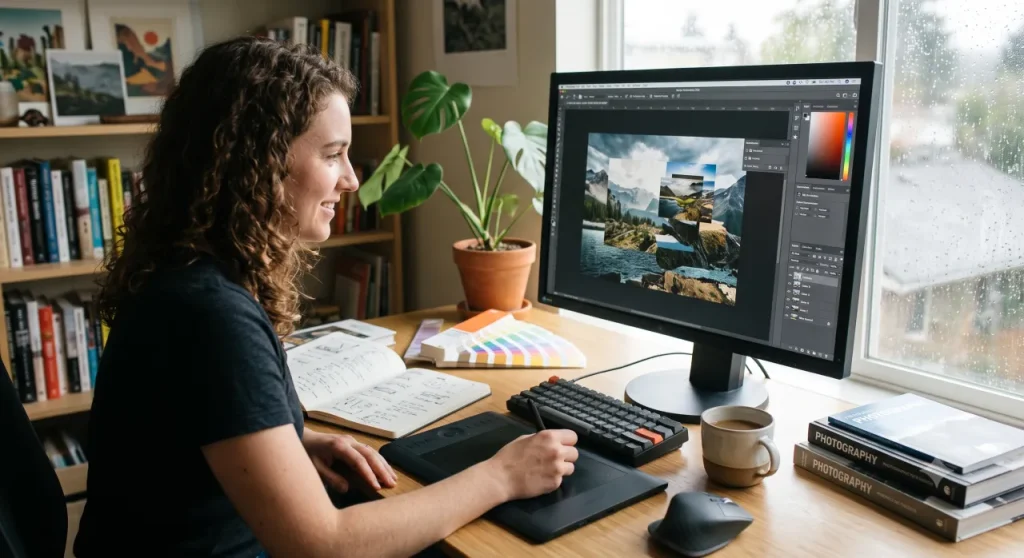
Adobe Photoshop remains one of the best image editing tools because it combines detailed pixel editing, layers, selections, retouching, compositing, typography and creative effects in one professional workflow.
It is especially useful when an image needs more than a quick crop, filter or color adjustment. Photoshop gives creators fine control over individual areas of an image, making it valuable for photographers, designers, marketers, content creators and motion designers.
Photoshop is not automatically the best choice for every person or project. However, when you need precision, flexibility and professional editing tools, it remains one of the most capable image-editing applications available.
Why Photoshop is still a leading image editor
Many apps can crop a photo, adjust brightness or apply a preset. Photoshop goes much further. It lets users edit individual pixels, build designs with separate layers, isolate objects with selections, use masks, combine multiple images and apply non-destructive adjustments.
This means you can make a small correction without changing the entire image. You can also create a complex visual from photographs, text, graphic elements and effects.
For example, Photoshop can be used to remove an unwanted object from a photo, retouch a portrait, replace a background, create a product visual, make a YouTube thumbnail or build a cinematic composite.
Precise editing control
Photoshop is designed for detailed work. You can correct one small object, improve color in a selected area, paint on a mask or adjust a background without affecting the rest of the composition.
This level of control matters when automatic editing tools are not enough. A product photo may need glare removed, a portrait may need subtle retouching or a composite image may need shadows and colors refined until every element looks natural together.
Photoshop gives you the option to work quickly when needed, but also to zoom in and make highly specific edits.
Layers make complex projects easier
Layers are one of Photoshop’s most useful features. They allow you to keep images, text, graphics, effects and adjustments separate from each other.
Instead of permanently changing the original image, you can create an editable project where each element can be moved, hidden, replaced or adjusted later.
Layers are especially useful for:
- Social-media graphics
- Product images
- Advertising creatives
- Website banners
- Video thumbnails
- Posters and promotional designs
- Photo composites
- Motion-graphics assets
You can also use adjustment layers to edit color and lighting without changing the original pixels. This makes it easier to experiment, compare versions and return to an earlier look if necessary.
Powerful selections and masks
Selections and masks are essential when you need to isolate part of an image. They can be used to remove a background, change the color of an object, edit only one subject or combine elements from several images.
Photoshop offers quick automated selection options as well as detailed manual tools. This is useful for difficult subjects such as hair, fabric, glass, smoke and semi-transparent objects.
Masks are particularly valuable because they hide parts of a layer without permanently deleting them. If you make a mistake, you can simply edit the mask instead of starting again.
Professional retouching tools
Photoshop is widely used for retouching because it provides tools for repairing, cleaning and enhancing images with a high level of control.
Common retouching tasks include:
- Removing dust, marks and unwanted objects
- Correcting skin imperfections
- Reducing glare and reflections
- Repairing damaged areas of an image
- Improving product photography
- Adjusting shadows and highlights
- Cleaning distracting backgrounds
- Correcting colors and tones
Retouching does not need to make an image look artificial. Good editing often means keeping the image natural while removing distractions that take attention away from the main subject.
Advanced compositing capabilities
Photoshop is not only for correcting photographs. It is also a powerful compositing tool.
Compositing means combining separate visual elements into one image. A designer might place a product into a new background, combine several photos into a poster or create a digital scene using photography, illustration, typography and effects.
Photoshop makes this possible with layers, masks, blend modes, selections, color adjustments and transformation tools.
This makes it useful for:
- Advertising campaigns
- Creative artwork
- Movie or music posters
- Social-media campaigns
- Website hero images
- Product promotions
- Gaming thumbnails
- Digital collages
- Branded marketing visuals
Useful for motion graphics workflows
Photoshop works well alongside Adobe After Effects. Many motion designers use Photoshop to prepare logos, title cards, textures, matte paintings, background images and layered artwork before animating them.
A well-organized Photoshop file can make an After Effects project easier to build and manage. Keep important elements on separate, clearly named layers so they can be imported and animated independently.
For example, a designer might create a layered poster in Photoshop, then import it into After Effects to animate the text, add movement to the background and create a short promotional video.
This makes Photoshop especially relevant for anyone working in video editing, visual effects, motion design or digital advertising.
Broad file-format support
Creative projects often use material from several sources, including cameras, stock libraries, websites, brand files and other design applications.
Photoshop supports many common image formats and export options. You can prepare high-resolution print files, transparent PNG graphics, web images, social-media visuals and layered project files.
This flexibility helps creators move between different workflows without needing a separate application for every task.
A large learning ecosystem
Photoshop has been widely used for many years, which means there is an enormous amount of learning material available.
Beginners can find tutorials for basic tasks such as cropping, adjusting brightness, using layers and removing backgrounds. More experienced users can explore advanced retouching, compositing, digital painting, typography, automation and professional workflow techniques.
Many creative agencies, studios, freelancers and clients also use Photoshop-compatible files. Learning the software can therefore be useful for both personal projects and professional creative work.
When Photoshop may not be the best option
Photoshop is powerful, but it is not always the fastest or most practical option.
If you need to organize and edit thousands of photos, Lightroom may be a better choice. If you only need a quick template for a social-media post, a browser-based design tool may be faster. If budget is your main concern, GIMP or another lower-cost alternative may be worth considering.
| Your need | Best starting point |
|---|---|
| Detailed retouching, compositing and pixel-level editing | Photoshop |
| Organizing a large photo library and batch editing | Lightroom |
| Quick social-media designs and simple templates | Browser-based design tools |
| Basic editing on a limited budget | GIMP or another low-cost alternative |
| Preparing layered visual assets for animation | Photoshop with After Effects |
Is Photoshop worth learning?
Photoshop is worth learning if you regularly need detailed image edits, professional retouching, layered graphics, marketing visuals, photo composites or assets for motion-design projects.
You do not need to master every feature immediately. Start with the essentials:
- Layers
- Masks
- Selections
- Adjustment layers
- Cropping and resizing
- Basic retouching
- Text tools
- Export settings
Once you are comfortable with these tools, you can explore more advanced techniques based on the type of work you create.
Frequently asked questions
Is Photoshop the best image editor for beginners?
Photoshop can be suitable for beginners, although it has a learning curve. It is a good option for people who want to develop real editing, design and compositing skills instead of only applying quick filters.
Is Photoshop better than Lightroom?
They are built for different purposes. Lightroom is generally better for organizing and editing large collections of photographs. Photoshop offers more detailed pixel editing, retouching, layers and compositing features.
Can Photoshop be used for graphic design?
Yes. Photoshop can be used for website graphics, marketing materials, social-media content, thumbnails, posters and image-heavy creative projects. For logo design and scalable vector artwork, a vector-focused tool may be more suitable.
Can Photoshop be used with After Effects?
Yes. Photoshop is commonly used to prepare layered artwork, textures, titles, photo composites and graphic elements that can be imported into After Effects for animation and compositing.
Is Photoshop only for photographers?
No. Photoshop is used by photographers, designers, marketers, illustrators, video creators, social-media managers, web designers and motion graphics artists.
Final thoughts
Photoshop remains one of the best image editing tools because it gives creators exceptional control over images. Its combination of layers, masks, selections, retouching tools, compositing features and broad creative workflow support makes it useful across photography, graphic design, marketing, content creation and motion graphics.
The best image editor still depends on your needs, budget and workflow. But when an image needs detailed editing, creative transformation or professional finishing, Photoshop remains a reliable and powerful choice.
Adobe and Photoshop are trademarks or registered trademarks of Adobe Inc. DigiEffects is not affiliated with Adobe Inc.