Tutorials

Practical, step-by-step guides for video editing, 3D printing props, visual effects workflows, and software troubleshooting. Master complex techniques in After Effects, Premiere Pro, DaVinci Resolve, and maker hardware with clear, actionable walkthroughs.

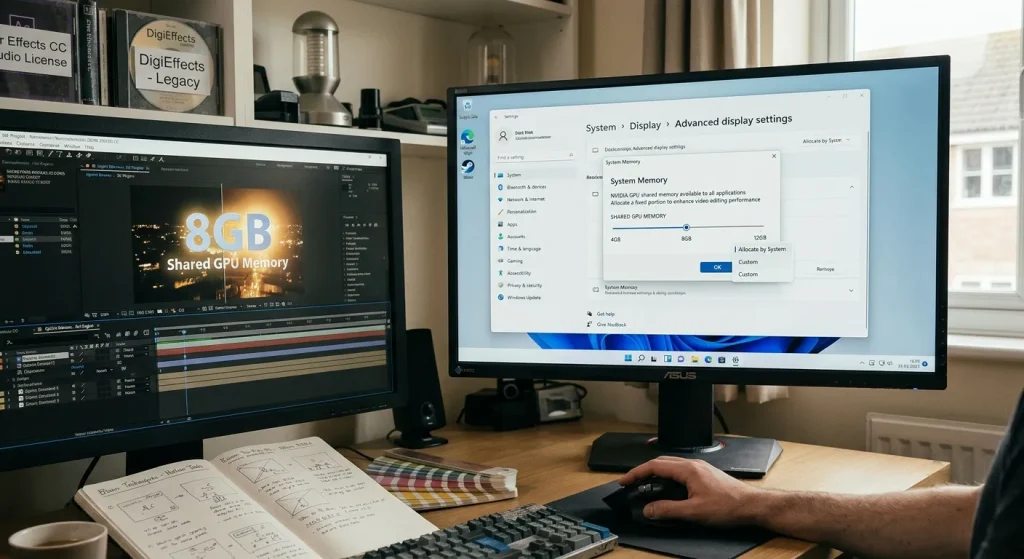
How to Adjust Shared NVIDIA GPU Memory in Windows 10 & 11 for Video Editing

How to Adjust Shared NVIDIA GPU Memory in Windows 10 & 11 for Video Editing

Windows automatically allocates up to 50% of your system RAM as shared GPU memory under the Windows Display Driver Model (WDDM). You cannot manually change this percentage for dedicated NVIDIA GPUs in Windows 10 or 11 settings. To increase shared GPU memory, you must install more system RAM or expand your Windows virtual paging file. […]

How to Adjust Shared NVIDIA GPU Memory in Windows 10 & 11 for Video Editing Read More »

Recreating Optical Light Blooms and Glows Without Legacy Plugins

Recreating Optical Light Blooms and Glows Without Legacy Plugins

In the golden era of digital post-production, third-party plugin suites like DigiEffects AurorA and early glow generators were essential for softening digital camera sensors. Early high-definition and digital video cameras produced ultra-sharp, clinical images with harsh highlight roll-off. Plugins provided the atmospheric halation, optical diffusion, and volumetric light leaks needed to emulate real anamorphic cinema

Recreating Optical Light Blooms and Glows Without Legacy Plugins Read More »

How to Recreate the 'Damage' Glitch Effect in Modern After Effects & DaVinci Resolve

How to Recreate the ‘Damage’ Glitch Effect in Modern After Effects & DaVinci Resolve

During the mini-DV and early HD broadcast eras, DigiEffects Damage was the definitive tool for digital degradation. Tools like Artifact, Interlaced, Overexposed, and Skew defined the distorted visual language of music videos, sci-fi films, and action promos throughout the 2000s. However, because legacy DigiEffects plugins rely on older 32-bit architecture, they cannot run natively on

How to Recreate the ‘Damage’ Glitch Effect in Modern After Effects & DaVinci Resolve Read More »

DigiEffects Plug-ins Compatibility Guide for After Effects and Premiere Pro

DigiEffects Plug-ins Compatibility Guide for After Effects and Premiere Pro

Answer: DigiEffects plug-ins were built for older versions of Adobe After Effects and Premiere Pro, generally spanning the CS3 through CS6/early Creative Cloud era. The company closed roughly six years before 2022 and stopped updating its plug-ins for newer Adobe releases, so compatibility with current After Effects and Premiere Pro versions is not guaranteed and

DigiEffects Plug-ins Compatibility Guide for After Effects and Premiere Pro Read More »

Why Photoshop Remains One of the Best Image Editing Tools

Why Photoshop Remains One of the Best Image Editing Tools

Adobe Photoshop remains one of the best image editing tools because it combines detailed pixel editing, layers, selections, retouching, compositing, typography and creative effects in one professional workflow. It is especially useful when an image needs more than a quick crop, filter or color adjustment. Photoshop gives creators fine control over individual areas of an

Why Photoshop Remains One of the Best Image Editing Tools Read More »

How to Design the Perfect Holiday Card for Friends, Family or Colleagues

A thoughtful holiday card does not need an elaborate design to feel special. The best cards balance a clear message, a suitable visual style and a personal touch that makes the recipient feel remembered. Whether you are creating a printed card, a digital greeting or a short animated message, start by thinking about who will

How to Design the Perfect Holiday Card for Friends, Family or Colleagues Read More »

How to Import Delirium Presets Into After Effects CC And Premiere Pro CC

If you ever find yourself with a bit of “writers block” when it comes to using Delirium, we have you covered with over 100 free presets! Here’s a step-by-step guide on how to import them into Adobe After Effects and Premiere Pro CC. After Effects 1. Once you have the installer for Delirium unzipped, navigate

How to Import Delirium Presets Into After Effects CC And Premiere Pro CC Read More »