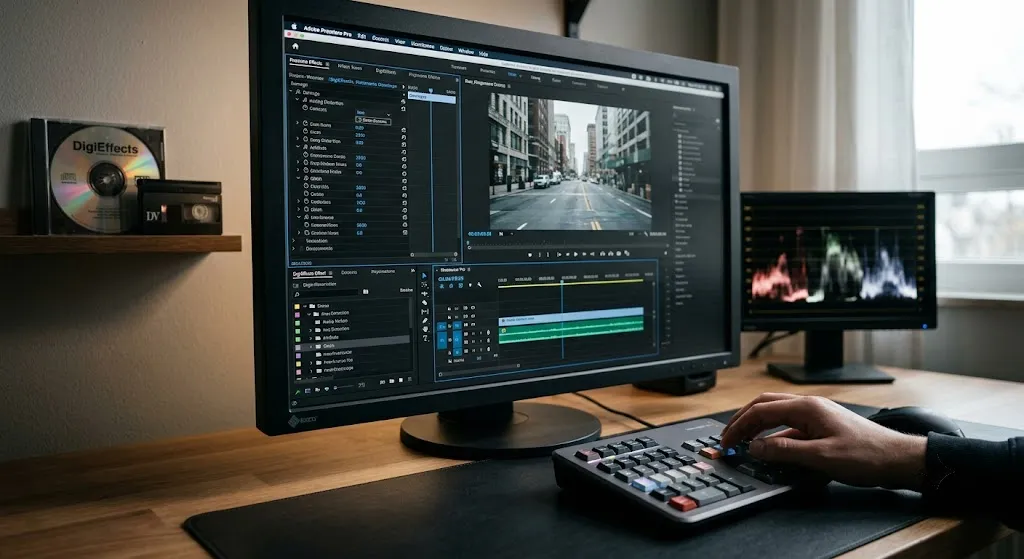
If you watched television, saw a music video, or went to the movies in the late 1990s and early 2000s, you saw DigiEffects Damage. Long before Instagram filters, mobile glitch apps, or one-click LUTs existed, recreating analog signal breakdown inside a pristine digital timeline was a complex, tedious process.
Before DigiEffects introduced the Damage suite, if a motion graphics designer or visual effects artist needed a shot to look like a scratched 16mm film reel, a static-heavy VHS tape, or a satellite signal dropping frames, they had two options: physically abuse real media—transferring digital files to tape, scratching celluloid with needles, re-recording monitors with cameras—or manually build stacks of native blurs, displacement maps, and color adjustments that never quite looked organic.
DigiEffects changed that workflow entirely. By packaging complex, procedural algorithms designed specifically to mimic physical and electronic signal decay into a single plug-in suite, Damage became an immediate industry standard.
Here is a deep look inside the architecture of DigiEffects Damage, the groundbreaking individual tools that defined its feature set, and why its approach to digital degradation set the template for every glitch and grunge tool that followed.
The Philosophy of “Destructive” Visual Effects
In the mid-1990s, desktop video post-production was undergoing a massive shift toward absolute digital purity. Nonlinear editing systems like Avid Media Composer and early versions of Adobe After Effects promised clean, artifact-free, broadcast-quality imagery. High-end hardware was explicitly designed to eliminate noise, dropouts, and signal distortion.
However, visual storytellers quickly realized a fundamental truth of digital video: perfection looks artificial.
Real-world media carries texture. Film stock has physical grain, chemical blooms, dust, and mechanical weave. Broadcast television relies on complex analog signals (NTSC and PAL) subject to RF interference, head-switching noise, and tape stretching. Early digital video introduced compression artifacts, blocky spatial quantization, and missing frame buffer errors.
DigiEffects recognized that motion design needed a fast, customizable way to introduce controlled imperfections back into clean digital composites. Damage wasn’t designed to fix imagery; it was designed to break it with artistic precision.
Deconstructing the Core Modules of DigiEffects Damage
The Damage suite wasn’t just a single plug-in with a few sliders. It was an organized ecosystem of dedicated filters, each engineered to simulate a specific physical or electronic failure state.
┌────────────────────────────────────────────────────────────────────────┐
│                        DIGIEFFECTS DAMAGE SUITE                        │
└─────────────────────────────────┬──────────────────────────────────────┘
                                  │
    ┌─────────────────────────────┼─────────────────────────────┐
    ▼                             ▼                             ▼
┌─────────────────────────┐ ┌─────────────────────────┐ ┌─────────────────────────┐
│        AGED FILM        │ │      INTERFERENCE       │ │        ARTIFACT         │
├─────────────────────────┤ ├─────────────────────────┤ ├─────────────────────────┤
│ • Scratches & Dust      │ │ • NTSC/PAL RF Static    │ │ • Digital Quantization  │
│ • Gate Weave            │ │ • Sync Roll & hum bars  │ │ • Blocky Pixelation     │
│ • Chemical Flicker      │ │ • Phosphor Bleed        │ │ • Frame Buffer Dropouts │
└─────────────────────────┘ └─────────────────────────┘ └─────────────────────────┘
1. Aged Film: Simulating Mechanical Celluloid Wear
Aged Film targeted the physical imperfections of motion picture projection and optical printing. Rather than applying a static, looping overlay of dust and scratches, Aged Film generated procedural physical artifacts on a frame-by-frame basis.
- Scratches & Dust: Generated procedural vertical hair scratches and random particulate matter. Users could control scratch density, color (black or white dust), lifetime, and spatial probability.
- Gate Weave: Simulated the physical movement of film stock slipping slightly as it passes through a projector or telecine gate, introducing sub-pixel horizontal and vertical jitter.
- Flicker & Exposure Drift: Recreated the uneven exposure and chemical decay typical of archival film prints, smoothly modulating luminance over customizable temporal curves.
- Film Grain Engine: Introduced organic, non-uniform spatial noise that responded directly to the luminance values of the underlying footage, darker shadows held different grain structures than bright highlights.
2. Interference: The Physics of CRT and Broadcast Static
While Aged Film handled optical decay, Interference focused entirely on analog cathode-ray tube (CRT) monitors and radio frequency (RF) broadcast degradation.
- RF Static & Snow: Recreated the high-frequency electronic noise generated by un-tuned TV tuners or poor cable shielding.
- Hum Bars & Vertical Sync Roll: Simulated ground loop electrical noise and bad vertical hold controls, causing horizontal rolling bars to slowly sweep up or down the frame.
- Color Bleed & Phase Shifts: Recreated NTSC color signal phase errors, where high-saturation areas (like pure reds) bled horizontally into adjacent pixels due to bandwidth limitations in analog composite video signals.
3. Artifact: The Early Days of Digital Glitch
As compressed digital video formats (such as early MPEG-1, MPEG-2, and DV codecs) began replacing analog tape in the late 1990s, new visual failure states emerged. Artifact was one of the earliest tools specifically designed to simulate digital degradation rather than analog decay.
- Blocky Quantization: Forced video layers into coarse grid blocks, simulating hyper-compressed video bitrates without forcing the user to re-export their master files through bad compression passes.
- Pixel Dropouts: Generated random mosaic-like tile freezes and data corruption patterns, mimicking satellite feed losses or scratched DVD playback.
- Color Bit-Depth Reduction: Dithered and posterized spatial color depth to replicate early 8-bit or 16-bit multimedia graphics displays.
Technical Legacy: Why DigiEffects Damage Was Ahead of Its Time
From an engineering perspective, Damage stood out because of how it integrated with host compositing software like After Effects CS3–CS6.
Procedural Generation vs. Stock Footage
In the late 90s, storage space was a major bottleneck. A single gigabyte of storage was expensive, and working with heavy 1080p stock video overlays of film grain or VHS static was impractical for most desktop workstations. Damage was entirely procedural; it generated high-detail visual textures using lightweight mathematical algorithms, taking up virtually zero disk space while offering infinite variation with no looping seams.
Parametric Precision and Temporal Controls
Unlike static overlay maps, every parameter inside Damage—from the probability of a dust particle appearing on frame 42 to the speed of a CRT hum bar—could be animated using host keyframes or procedural expressions. This level of control allowed visual effects artists to tie the intensity of the “damage” directly to audio tracks, scene cuts, or narrative beats in a project.
System Compatibility & Modern Alternatives
If you are opening legacy projects containing DigiEffects Damage layers today, native execution on modern operating systems is constrained by system architecture:
| Environment | Damage Suite Version | Native Support | Recommended Action |
| Windows XP / 7 (32-Bit) | Damage v1.x – v2.0 | Full Native Support | Run on original hardware or offline rendering box. |
| Windows 7 / 10 (64-Bit) | Damage v2.5 | Functional | Requires legacy After Effects CS6 host environment. |
| Windows 11 (64-Bit) | Any Version | Incompatible | Bake layers on a legacy rig or recreate using modern native tools. |
| macOS Apple Silicon (ARM) | Any Version | Incompatible | Recreate using modern native tools or GPU OFX plugins. |
Reconstructing the “Damage” Look in Modern Workstations
If you are working on a modern 64-bit timeline in After Effects or DaVinci Resolve 2026, you can recreate the iconic Damage aesthetic without tracking down legacy installers:
- For Analog CRT Interference: In DaVinci Resolve, use the native Analog Damage OFX plugin on the Fusion or Edit page. It replicates NTSC line-sync errors, phosphor trails, and hum bars using full GPU acceleration.
- For Digital Block Glitch: In After Effects, combine CC Digital Glitch with a Displacement Map driven by a high-contrast Fractal Noise solid set to Block noise type.
- For Film Grain and Wear: Combine CC Film Grain or native 4K film scan overlays set to Overlay or Soft Light blending modes, paired with a subtle Posterize Time effect set to 18 or 24 fps to match vintage projector rates.
Summary
DigiEffects Damage changed how editors and compositors thought about digital video. By turning signal breakdown, mechanical wear, and data corruption into adjustable creative tools, it helped define the visual language of modern motion graphics. While the original 32-bit plugins have been retired by modern operating systems, the principles behind Damage live on in virtually every modern glitch, grain, and retro plugin suite available today.