In the late 1990s and early 2000s, adding organic elements like billowing smoke, realistic fire, drifting snow, or volumetric light rays to a 2D desktop composite was one of the most resource-intensive challenges in post-production. Before dedicated 3D particle systems became lightweight standard tools on personal computers, motion graphics artists were faced with a tough choice: spend thousands of dollars on high-end SGI workstations running proprietary Unix compositing packages, or composite pre-rendered 2D stock footage overlays that lacked dynamic lighting and depth control.
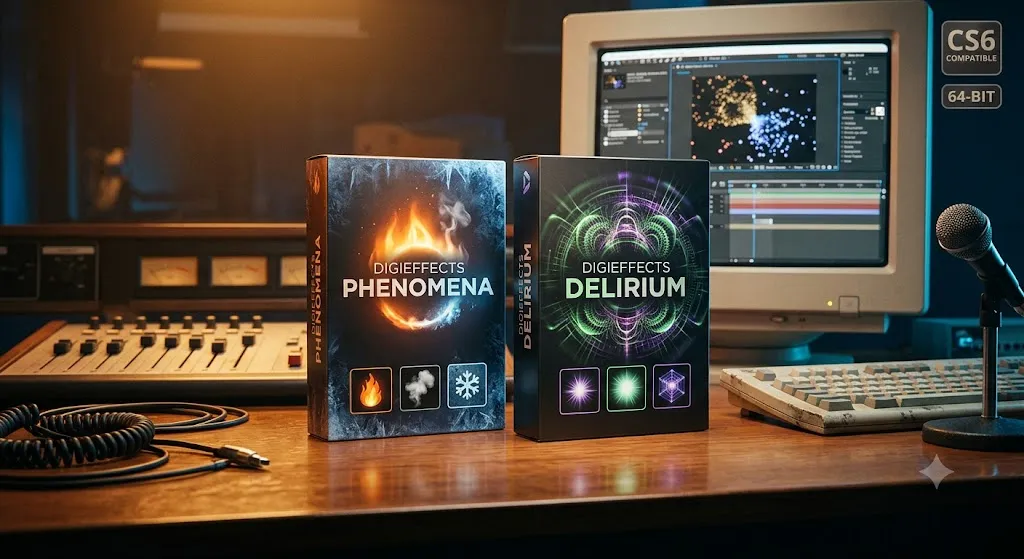
DigiEffects Phenomena and its massive follow-up evolution, DigiEffects Delirium, redefined what was possible inside Adobe After Effects and Premiere.
By delivering procedural, mathematical particle engines directly into standard 2D timeline layers, these two suites gave desktop visual effects artists instant access to photorealistic atmospheric phenomena, complex light casting, and organic environmental forces. Here is a deep dive into how Phenomena and Delirium paved the way for modern digital compositing and particle physics engines.
The Birth of Procedural Atmospherics on the Desktop
When DigiEffects launched Phenomena in the late 1990s, desktop video editing was still constrained by limited hardware power. CPUs were single-core or early dual-core systems, system RAM was measured in megabytes rather than gigabytes, and GPU acceleration did not exist in video software.
At the time, standard particle generation in host applications required rendering individual 3D geometry or calculating complex ray-traced sprite matrices—processes that could cause render times for a single frame to stretch into minutes.
DigiEffects solved this bottleneck through procedural noise field algorithms and lightweight algorithmic sprite distribution. Rather than treating fire, rain, or smoke as heavy 3D particle meshes, Phenomena calculated procedural mathematical maps that manipulated pixel color, luminance, and displacement in real time.
| Architectural Pillar | DigiEffects Phenomena | DigiEffects Delirium |
| Core Focus | Targeted procedural atmospheric particle engines | All-in-one motion graphics & VFX suite (45+ tools) |
| Key Features | Fire, Smoke, SnowStorm, Sparkle, Wind vectors | AutoAnimate engine, Light Blast, Solar Flare, Glow |
| Performance Engine | Lightweight CPU math optimization | Parametric & time-driven automated movement |
| Primary Use Case | Organic atmospheric force simulation | Broad broadcast package design & light effects |
This approach allowed artists to generate thousands of individual snow particles or swirling fire tongues on modest desktop hardware, giving small production houses the visual capabilities of major Hollywood visual effects facilities.
Deconstructing the Core Suites: Phenomena vs. Delirium
While Phenomena focused tightly on atmospheric elements, Delirium expanded the toolset into an all-in-one super-suite housing over 40 distinct visual effects filters categorized into particle generators, lighting engines, framing tools, and procedural textures.
1. The Particle & Fire Engines (Phenomena Fire, Smoke & SnowStorm)
Phenomena gained instant industry acclaim due to its highly specific, organic presets that required minimal setup time.
- Phenomena Fire: Created procedural flame plumes and heat distortion. Unlike modern particle emitters that require setting up wind vectors, turbulence maps, and gravity parameters from scratch, Fire provided intuitive sliders for flame height, ember turbulence, core temperature color ramps, and fuel consumption.
- Phenomena Smoke: Used multi-layered procedural noise algorithms to simulate volumetric billows of smoke, rising steam, and dense fog banks. It calculated internal self-shadowing to give 2D layers a sense of physical density and volume.
- Phenomena SnowStorm & Rain: Allowed artists to quickly drop realistic weather systems into 2D scenes. SnowStorm introduced built-in depth simulation, where background flakes rendered smaller and moved slower than foreground flakes passing close to the virtual lens.
2. Volumetric Lighting & Glares (Delirium Light Blast & Solar Flare)
Beyond atmospheric elements, Delirium introduced powerful optical ray-casting tools that became staple elements of mid-2000s motion graphics.
- Light Blast: A pioneer in volumetric ray casting. By sampling the alpha channel or luminance values of a text layer or isolated footage element, Light Blast shot intense, customizable light shafts outward in 360 degrees, simulating atmospheric haze and dust scattering.
- Solar Flare & Glow: Provided optical lens artifacts and soft light wraps that dynamically interacted with underlying clip brightness, giving titles and motion graphics a polished, high-budget broadcast look.
3. The AutoAnimate Engine: Motion Without Keyframes
One of the most revolutionary features inside Delirium was the AutoAnimate engine. In standard host workflows, making procedural noise move or particles flow required manual keyframing of evolution or phase parameters on every layer.
Delirium introduced automated internal temporal clocks. By simply adjusting a speed slider, the plug-in automatically calculated seamless, non-repeating motion over time without creating a single keyframe in the host timeline. This feature saved countless hours during tight broadcast delivery turnarounds.
Architectural Legacy: From CPU Pipelines to Modern GPU Nodes
Why did Phenomena and Delirium perform so well during the 32-bit CPU era, and why did they eventually run into performance walls as video resolutions increased?
1. The Resolution Shift: SD to 4K
Phenomena and early Delirium builds were optimized for Standard Definition (NTSC/PAL 720×480) and early High Definition (720p/1080p) frame buffers. Because the underlying C++ code was written for single-threaded CPU calculation, scaling these procedural noise routines to modern 4K, 6K, or 8K timelines created severe processing bottlenecks.
2. Lack of GPU Memory Pointer Hooks
Modern particle engines utilize GPU VRAM to calculate millions of particle interactions simultaneously using parallel processing cores (CUDA, Metal, or OpenCL). Because DigiEffects tools were created before unified GPU acceleration pipelines existed in host applications, they were unable to offload math calculations to modern graphics processing units.
System Compatibility Matrix & Legacy Status
If you are attempting to restore legacy compositions containing original Phenomena or Delirium layers, here is how compatibility breaks down across operating systems:
| Operating System | Suite Version | Host Compatibility | Recommended Archival Strategy |
| Windows XP / 7 (32-Bit) | Phenomena v1.x / Delirium v1.x | After Effects 5.0 – CS4 | Fully Native: Ideal for legacy workstation rendering. |
| Windows 7 / 10 (64-Bit) | Delirium v2.5 / v2.6 | After Effects CS5 – CS6 | Functional: Requires 64-bit CS6 host environment. |
| Windows 11 (64-Bit) | Any Version | Modern AE 2024–2026 | Incompatible: Render on legacy rig or recreate natively. |
| macOS Apple Silicon (ARM) | Any Version | Modern AE 2024–2026 | Incompatible: Recreate using modern GPU particle plugins. |
Reconstructing the “Delirium & Phenomena” Look Today
You do not need legacy 32-bit installers to recreate the iconic fire, light rays, and atmospheric particles of Delirium and Phenomena on modern 64-bit timelines. Contemporary host tools provide GPU-accelerated alternatives that deliver even greater control:
[Modern Atmospheric Fire & Smoke Chain - After Effects]
Layer 01: Solid Layer (Emitter)
  ├── Particular / CC Particle World (Particle Generation)
  ├── Turbulent Noise (Driving Air Velocity & Swirl)
  ├── Vector Blur (Creating Organic Fluid Motion)
  └── Colorama / Tritone (Mapping Temperature Color Ramps)
1. Recreating Procedural Fire & Smoke
- In After Effects: Use CC Particle World combined with a Vector Blur set to high natural ridge values. Apply Turbulent Noise to drive movement, and map the color output using Tritone or Colorama to achieve realistic thermal gradients from deep red core to white-hot highlights.
- In DaVinci Resolve: Open the Fusion page and use the native pEmitter, pTurbulence, and pRender nodes to build real-time, 3D-aware particle systems accelerated directly by your GPU.
2. Recreating Volumetric Light Blast
- Native AE Method: Apply CC Light Rays or CC Radial Fast Blur set to Brightest zoom mode to cast volumetric light streaks out from high-contrast alpha edges.
- Third-Party GPU Alternative: Use Trapcode Shine or Red Giant VFX Light Factory for physically accurate atmospheric haze, light wrapping, and chromatic dispersion.
Summary
DigiEffects Phenomena and Delirium fundamentally reshaped how visual effects artists approached environmental forces and lighting on desktop computers. By proving that complex atmospheric physics could be calculated efficiently and intuitively inside a 2D timeline, DigiEffects set the design standards that continue to drive modern particle engines, volumetric lighting tools, and procedural effects plugins today.